.htm_cmp_3d-scan010_bnr.gif)











.htm_cmp_3d-scan010_hbtn_p.gif)
.htm_cmp_3d-scan010_hbtn.gif)





|
|
|
PSR-500
PSR-600
PRO-106
PRO-197
BCD996T
BCT15
BCD396T
BC246T
BR330T
BC95XLT
SC230
BC898T
BC296D
BCT8
BC785D
BC796D
BC780XLT
PRO-2052
BC895XLT
|
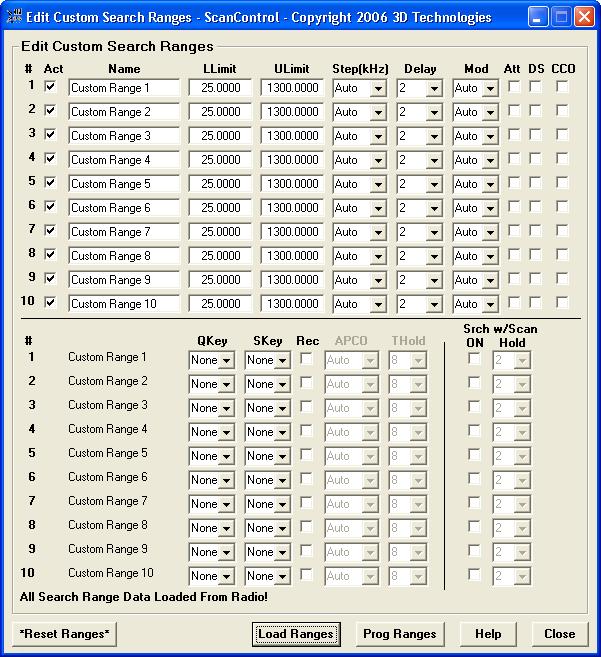
Edit Custom Search Ranges Screen(SC230, BC246T, BR330T, BCD396T, BCT15, BCD996T Only) The Edit Custom Search Ranges Screen allows programming and loading of the 10 Search Ranges found in the radios noted above. These values are stored in the ScanControl Memory Area and saved in the ScanControl data file.
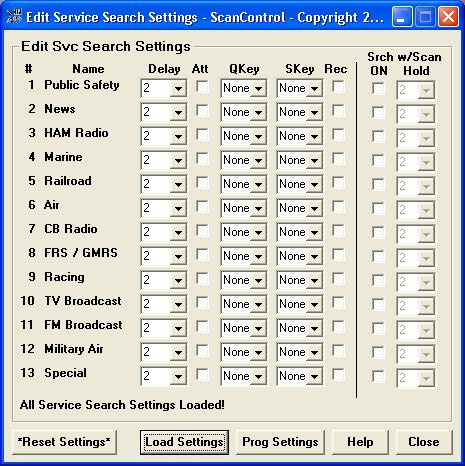
Edit Service Search Settings Screen(BR330T, BCD396T, BCT15, BCD996T Only) The Edit Service Search Settings Screen allows programming and loading of the Service Search settings found in the radios noted above. These values are stored in the ScanControl Memory Area and saved in the ScanControl data file.
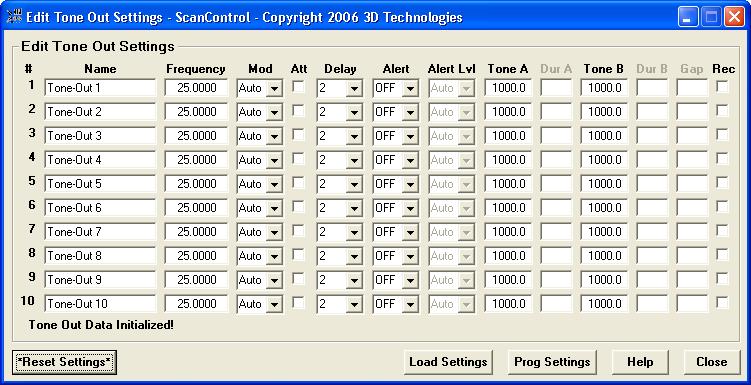
Edit Tone Out Settings Screen(BR330T, BCD396T, BCT15, BCD996T Only) The Edit Tone Out Settings Screen allows programming and loading of the Tone Out settings found in the radios noted above. These values are stored in the ScanControl Memory Area and saved in the ScanControl data file.
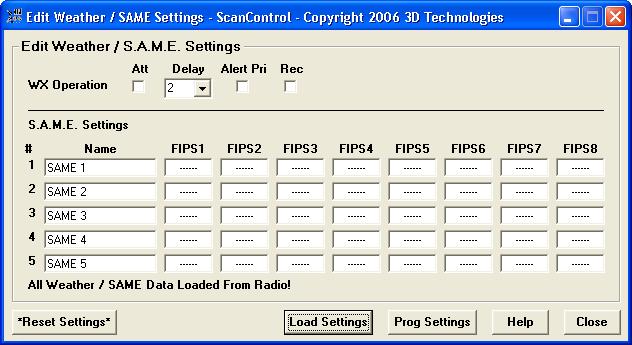
Edit Weather / S.A.M.E. Settings Screen(SC230, BC246T, BR330T, BCD396T, BCT15, BCD996T Only) The Edit Weather / S.A.M.E. Settings Screen allows programming and loading of the Weather / S.A.M.E. Settings found in the radios noted above. These values are stored in the ScanControl Memory Area and saved in the ScanControl data file.
Visit Our Purchase & Download Page
|
|